


Key Takeaways
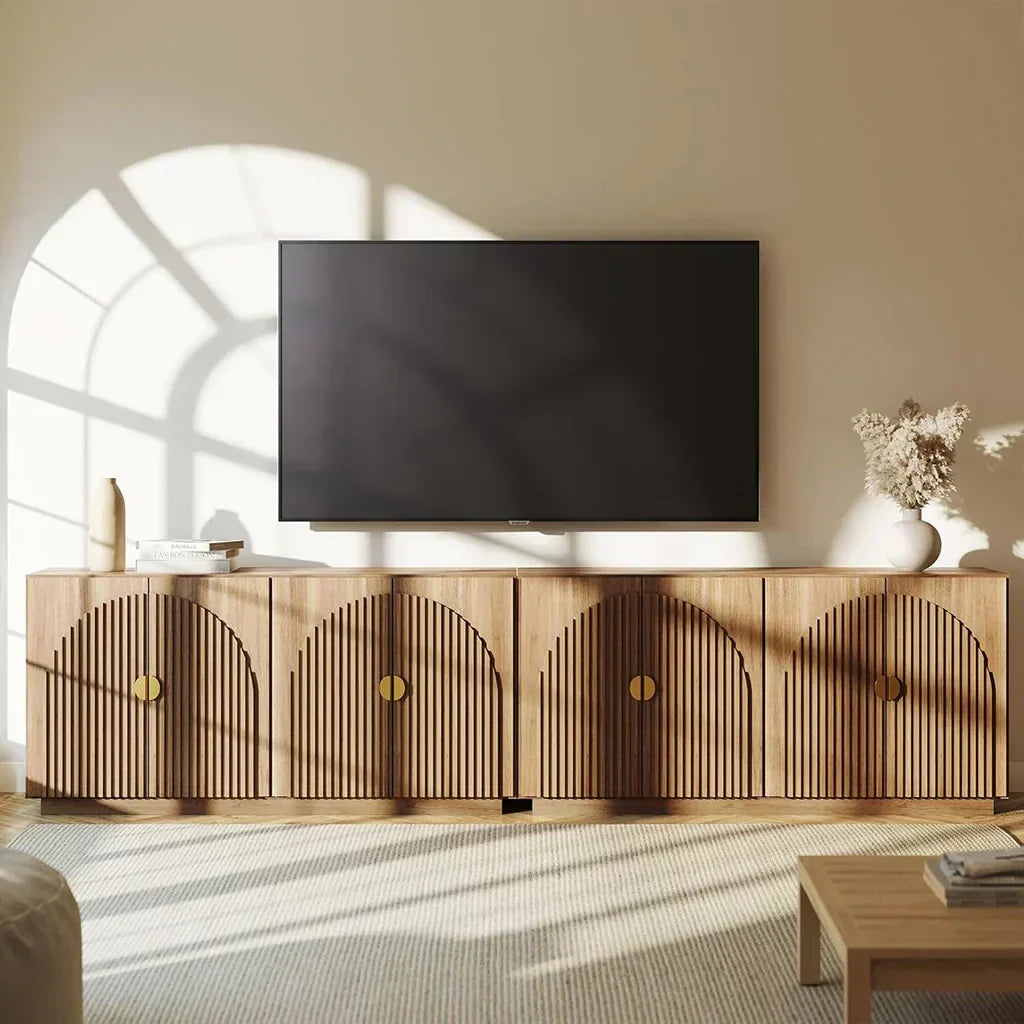
- Wall mounting creates the safest, sleekest setup. You'll free up floor space and get that clean, modern look everyone wants.
- Existing furniture works perfectly when anchored to walls. Your sturdy dresser or console table can pull double duty without tipping risks.
- Freestanding alternatives give you total flexibility. Universal stands and DIY solutions mean no drilling holes - perfect for renters.
Introduction
It's easy to prop up your TV and get the setup you want, whether you're going for minimalist style or maximum functionality (goodbye, bulky stand).
Lost or broken your original stand? This challenge opens up possibilities. Your expensive TV needs stability, but you can create something better than what came in the box.
Wall mounting, repurposed furniture, replacement stands, DIY solutions - each option transforms your space differently. Here's how to upgrade your entertainment setup.
Do Flat Screen TVs Need Their Own Stand?
No. A flat screen TV does not have to use its original stand to work safely. Most modern TVs can sit on a compatible universal tabletop stand, attach to a wall mount, or rest on sturdy furniture when the setup is wide, level, and secured against tipping.
The original stand or legs are convenient, but they are not the only option. What matters more is whether the support matches the TV's size, weight, and mounting pattern, and whether the screen can stay stable if bumped.
If your TV came without legs, lost its original stand, or simply needs a different setup, the options below cover the safest ways to support it without relying on the factory base.
Wall Mounting the TV
Wall mounting gives you the stability you want, whether you're after that clean, floating look or just need your TV secure (goodbye, wobbly stands).
When you mount to wall studs properly, the effect goes beyond safety. Your room opens up without floor clutter. You control the exact height for comfortable viewing. Plus, wall mounting is considered the gold standard for keeping expensive electronics stable.
Before choosing a mount, check your TV's VESA pattern - those screw holes on the back. Matching this standard spacing ensures your mount distributes weight properly.
Types of Wall Mounts
- Fixed Mounts: Keep your TV flat against the wall for that sleek, low-profile look. Perfect when your seating faces the screen directly.
- Tilting Mounts: Adjust the angle down 5-15 degrees to cut glare. Great for TVs mounted higher than eye level.
- Full-Motion Mounts: These articulating arms let you tilt, swivel, and extend your TV. Ideal for corner setups or watching from different spots.
- Pull-Down Mounts: Designed for above-fireplace placement. Pull your TV down to a comfortable eye level when watching.
- Ceiling Mounts: No wall space? These unique mounts drop from above to save space creatively.

Using a Universal Replacement Stand
It's easy to prop up your TV and get the stability you want, whether you prefer tabletop placement or just need something simple (goodbye, wall drilling).
Universal stands attach to your TV's VESA holes, creating a stable base without permanent installation. These aftermarket options often feature height adjustment and swivel capabilities - more flexibility than original stands ever offered. Just verify the stand matches your TV's size, weight, and VESA pattern.
If Your TV Has No Legs or the Original Feet Are Missing
A universal replacement stand is usually the cleanest fix when your TV has no legs, the original feet are missing, or the factory base no longer fits your room. Instead of balancing the screen on blocks or furniture edges, the stand uses the mounting holes on the back of the TV to create a real tabletop base.
Before buying one, check three details: the TV's screen size range, the maximum supported weight, and the VESA hole pattern. A stand can look right by screen size but still be wrong if the screw spacing or weight rating does not match.
For a larger or very thin TV, add anti-tip straps even after installing a replacement stand. The stand solves the missing-legs problem, but it does not remove every tipping risk.
Freestanding Floor TV Stands or Carts
Floor stands provide a foundation for complete mobility. These tall mounts rest on weighted bases or tripod legs, making them totally renter-friendly.
Many models roll on wheels, letting you move your entertainment anywhere. They include shelves for media components and cable management to keep everything clean. Your TV transforms into a mobile entertainment center that goes wherever you need it.

How to Raise and Secure a TV Without Mounting It
If you want to raise a TV without a wall mount, use a taller universal stand, a height-adjustable floor stand, a low media cabinet, or a sturdy sideboard instead of stacking loose items under the screen. The goal is to add height while keeping the support wide, level, and balanced.
A universal stand with height adjustment is usually safer than a narrow riser because it lifts the TV from the mounting points on the back, not from pressure under the screen edge. For smaller TVs, a wide TV riser can work if it is rated for the full weight and gives the base enough depth.
To secure a TV without a wall mount, pair the raised surface with anti-tip straps. This matters most on tall dressers, narrow consoles, lightweight tables, or any setup where kids, pets, or pulled cables could shift the screen forward.
Repurposing Existing Furniture as a Stand
It's easy to repurpose furniture and get the support you need, whether you're budget-friendly or just adding character (goodbye, generic TV stands).
When you use existing furniture, the effect goes beyond saving money. You create a unique, sustainable setup that reflects your style.
Before placing your TV though, check that the furniture's size, weight capacity, and stability. Anti-tip straps anchoring to the wall are your most important safety step. Consider viewing height for comfort and leave breathing room for ventilation.
Dressers and Sideboards
Dressers provide a solid foundation at just the right height. Their built-in drawers store all your media gear beautifully.
Make sure the top surface extends wider and deeper than your TV's base. Without wall anchoring, those convenient drawers become tipping hazards.

Bookshelves or Shelving Units
Bookshelves work wonderfully if the shelf runs deep and strong enough to prevent sagging. Lower shelves house your consoles and devices. Taller, narrower units need extra care - secure them firmly to the wall.
Desks, Consoles, or Tables
A sturdy desk or console creates an effective TV platform. Check weight limits first. Choose something wide enough to keep your TV secure from accidental bumps.
Entertainment Centers or China Cabinets
These larger pieces were designed as media hubs. Modern flat screens might need adjustments, though. Remove doors or shelves to fit your TV properly. Add cable holes in the back for wiring and airflow.
Build a DIY TV Stand or Shelf (Creative Solutions)
It's easy to build your own TV support and get the exact look you want, whether you're going for industrial chic or custom-fitted elegance (hello, weekend project).
DIY Wood Stand
Create a custom stand that fits your space perfectly. Build a simple table design or an A-frame easel where your TV leans securely with straps.
Free plans online show everything from modern minimalist to rustic console styles. Choose strong wood and test with weight before trusting your TV.

Industrial-Chic Solutions
Cinder blocks and thick boards create a solid, trendy foundation. Stack two blocks with a plank across for a low TV placement. Add more levels for component storage.
Wooden crates work beautifully too - they support your TV while doubling as storage cubbies. These tool-free solutions stay stable when kept low and wide.
Wall-Mounted Shelf Unit
Heavy-duty brackets and thick plywood form a custom TV shelf. Build a frame around it for that built-in look. Mount brackets into studs with extra support for longer spans. Make the shelf at least as deep as your TV. Paint or finish to match your decor.
Temporary Solutions
It's easy to prop up your TV temporarily and get through tonight, whether you're between moves or just waiting for that mount to arrive (hello, movie marathon).
These quick fixes work when you need something right now. Just remember they're stepping stones to proper solutions - your expensive TV deserves better long-term.
Leaning the TV (With Caution)
While leaning creates inherent instability, you can minimize risk for brief periods. Place the bottom edge on something soft and non-slip, like a thick rug or folded towel. This prevents both scratching and sliding.
Brace the base against your wall's baseboard or sturdy furniture's edge. A slight angle works best - steeper means shakier. Position everything away from foot traffic where nobody passes by.
Makeshift TV Stand Ideas for Short-Term Use
When you need a temporary TV stand fast - between moves, waiting for a replacement base, or getting through one night - keep the setup low, wide, and easy to supervise.
- Wooden crates or sturdy storage cubes: Use identical pieces side by side to create a low, even platform. Add non-slip pads underneath if the floor is smooth.
- A low bookcase turned sideways: A short, wide bookcase can work as a temporary TV surface when the top is flat, deep, and strong enough for the screen.
- Yoga blocks or dense foam blocks: These can help stop slipping under an existing base or feet on a small, lightweight TV, but they should not press directly against the screen panel.
- Same-size hardcovers: Treat this as a last resort only. Keep the stack low, level, and away from foot traffic.
- Non-slip shelf liner or gaff tape: This does not raise the TV, but it can reduce sliding when the original feet are sitting on a slick surface.
These temporary TV stand ideas are for short-term use only. If the TV is large, placed high, or near kids or pets, move to a universal stand, floor stand, wall mount, or anchored furniture setup as soon as possible.
Important Safety Tips
It's easy to keep your TV secure and get the peace of mind you want, whether you're wall-mounted or just using furniture (hello, safe viewing).
Secure the TV with Straps or Tethers
Add anti-tip straps to boost stability. These simple anchors connect your TV to furniture or walls. These anchors connect your TV to furniture or walls, creating the most effective accident prevention. Simple straps, major protection.
Check Weight Limits and Compatibility
Every support has its limits. Verify your mount, furniture, or DIY creation can handle your TV's specific weight and size. No guessing allowed here.
Do a Stability Test
Push gently from different angles after setup. Your TV should stay rock-solid, not rock back and forth. Any movement means adjustments are needed immediately.
Mind the Surface
Level, flat surfaces provide the foundation for TV safety. Clear away clutter that causes wobbling. Skip slippery surfaces completely - they're disasters waiting to happen.
Cable Management
Loose cables create trip hazards that bring everything crashing down. Tuck them away with ties or management systems. Organized cables mean safer spaces.
Conclusion
A missing TV stand becomes your chance for a creative upgrade (goodbye, boring factory stands). Wall mounting offers ultimate safety. Repurposed furniture adds character when anchored properly. Freestanding and DIY solutions provide total flexibility.
Your choice depends on budget, needs, and whether you rent or own. Follow safety guidelines, and you'll create a secure entertainment setup that's uniquely yours.
Looking for a stable base? Explore Belleze’s TV stands that combine function and design.
You Might Also Like

Leave a comment
This site is protected by hCaptcha and the hCaptcha Privacy Policy and Terms of Service apply.