


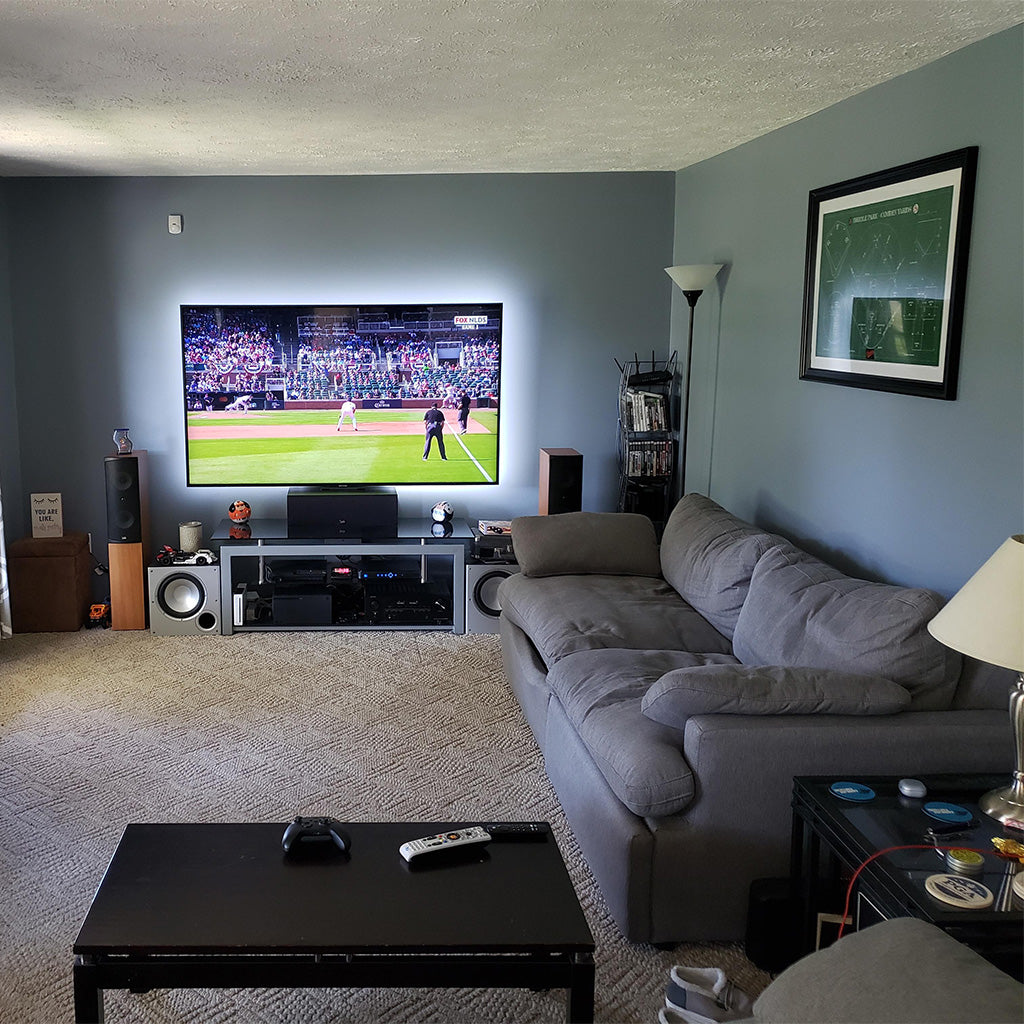
Yes, your TV stand can be smaller than your TV. The key is balance - most modern TVs have their weight centered at the bottom, making them stable even on narrower stands.
Many people face this setup challenge due to limited space, existing furniture, or design preferences.
This article will help you decide if a smaller TV stand works for your situation and offers practical solutions to make it safe and stylish.1
Can You Put a Bigger TV on A Smaller Stand?
Yes, you can place a larger TV on a smaller stand, but support and stability must come first. Without proper support, this setup isn't safe.
A smaller stand might not handle the weight of a bigger TV, creating dangerous instability. Here's what you need to know:
- The stand might not support the TV's weight, risking damage to both your TV and the floor
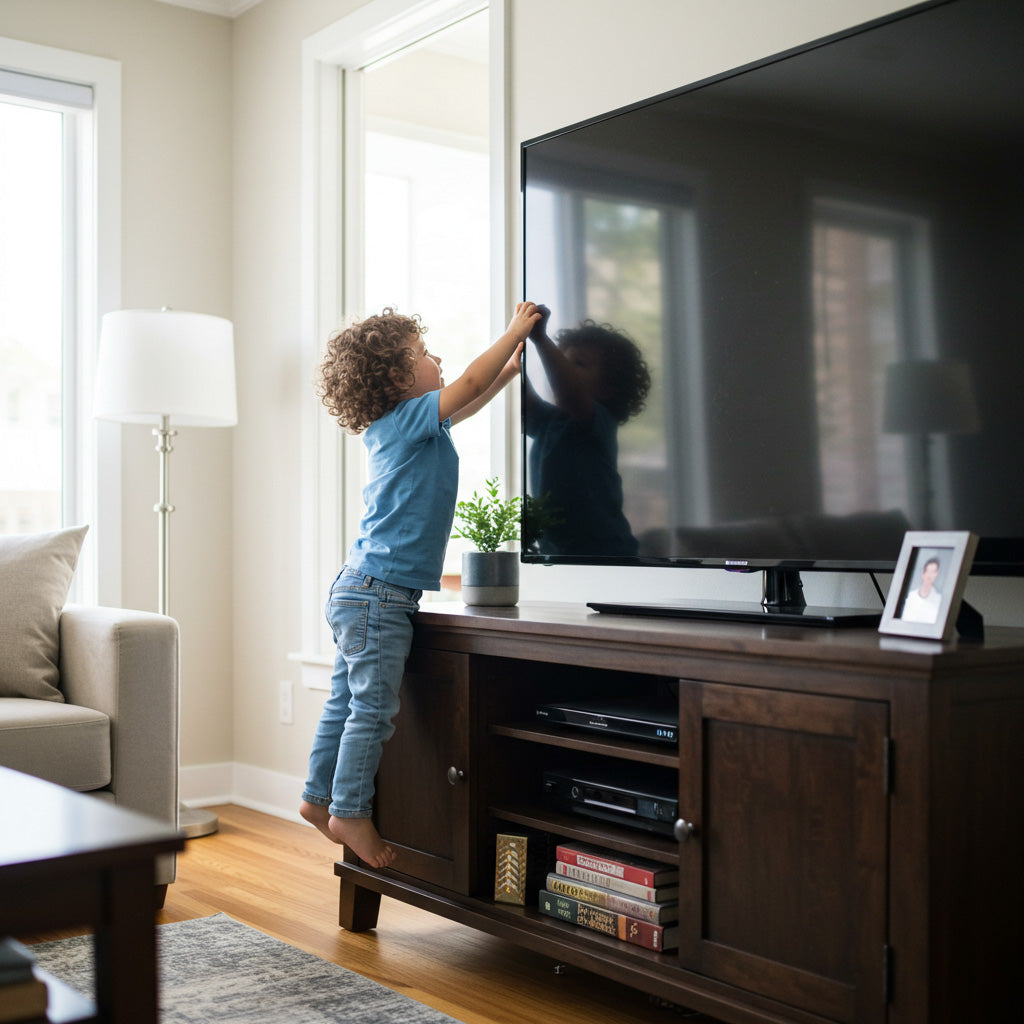
- Your TV may hang over the edges, making it unbalanced and more likely to tip over if bumped
- The mismatched sizes can make your room look awkward, drawing attention to the proportional mismatch rather than your content
Having a smaller stand isn't always a problem. With some creativity, you can make this setup both safe and stylish.
Tips for Choosing the Right TV Stand for Your TV Size
Let's talk about whether your TV stand should be wider or narrower than your TV. This is an important decision that affects both the look and safety of your entertainment setup. Here are some key factors to consider when making your choice.
TV Size and Proportion
Smaller TVs naturally pair well with more compact stands, while larger screens usually need wider stands for visual balance. But a TV stand does not always have to be wider than the TV screen. The safer test is whether the TV's actual base or legs sit fully on the stand and whether the weight rating is appropriate.
If your TV uses a center pedestal, a slightly narrower stand may still work when the screen is centered. If the TV has legs near the outer edges, both legs should sit fully on the stand surface with no support point hanging past the edge.
Need more guidance on exact measurements? Check out our comprehensive TV Stand Size Guide for detailed sizing recommendations based on your specific TV dimensions.
Room Size and Layout
Your room's dimensions play a big role in this decision. Larger living spaces can handle wider, more substantial TV stands that create a focal point for the room.
In smaller apartments or compact rooms, a narrower stand helps maximize your limited space. But in open-concept areas or spacious living rooms, a wider stand helps anchor your entertainment setup and prevents it from looking lost in the room.
Stability and Support
A TV stand that's smaller than your TV's footprint can create a dangerous balancing act, but screen overhang is not the only safety issue. The safer test is whether the TV's support points sit fully on the stand and whether the stand's weight limit covers the TV. A TV may look wider than the stand and still be stable if it is wall-mounted or uses a centered base, but it becomes risky when the legs, pedestal, or weight are not fully supported.
Check the weight rating on any stand you consider. Many budget options aren't built to support larger, heavier TVs. Solid wood stands typically offer better support than particleboard models. Beyond choosing a sturdy stand, proper mounting is crucial — learn how to safely secure your TV to a stand to prevent accidents.
The physics is simple: a wider base under a narrower object usually creates more stability. If any support point extends past the edge of the stand, use a wider stand or mount the TV instead.
Functionality and Storage Needs
Think beyond just holding your TV. What else needs to live in your entertainment area?
If you have game consoles, a cable box, a sound system, or media collections, you'll need a stand with appropriate storage. A wider stand with shelves, drawers, or cabinets gives you room for all these extras without creating clutter.
For minimalist setups with few accessories or those who stream everything, a sleek, narrower stand might serve your needs perfectly.

Aesthetics and Style
Your personal style matters in this decision. The TV stand is often one of the largest pieces of furniture in your living space.
Wider stands make a stronger design statement and can add a sense of luxury, especially in contemporary homes with clean lines.
More traditional homes might benefit from a proportional stand that blends with existing furniture rather than dominating the room.
The finish and material are just as important as the size. Dark woods, glass, or metal should complement both your TV and your existing decor for a cohesive look.
The Astorga Farmhouse TV Stand exemplifies this principle with its barn door-style cabinets and dark walnut finish, perfectly blending rustic charm with modern functionality.
Viewing Height and Comfort
Comfort during long viewing sessions depends largely on your TV's height. The stand plays a crucial role in positioning your screen properly.
Experts recommend centering the screen at eye level when you're seated. A stand that's too tall or too short will lead to neck strain during movie marathons.
Take measurements of your seating height and calculate the ideal position before choosing a stand to ensure comfortable viewing for years to come.
Cable Management
Nothing ruins the look of a sleek entertainment setup faster than tangled cables everywhere.
Better-designed stands include thoughtful features for keeping wires organized and hidden from view. Look for stands with built-in cable management systems like rear cutouts, channels, or hidden compartments.
Wider stands often provide more options for routing cables discreetly, keeping your living space looking neat and professional.
Budget Considerations
Like most furniture purchases, quality and features affect price. Larger, sturdier TV stands with premium materials and extra storage typically cost more.
Set a realistic budget based on how important this piece is to your daily life. If you watch TV regularly or entertain often, investing in a higher-quality stand makes sense.
Prioritize the features that matter most to you, whether that's storage space, cable management, or visual appeal, and find the best option within your price range.
Creative Ideas to Make a TV Bigger Than the TV Stand Look Good
When your TV is larger than your stand, it can look out of place. That awkward overhang can throw off your room's balance and create visual tension. No one wants their living room to feel unfinished or poorly planned.
Here are ideas to help with your bigger TV and small stand situation. We've gathered the best tricks that can make your TV setup area both visually appealing and functional.
Center the TV and Add Furniture Beside
You can easily balance your setup by placing taller items on either side of your TV stand. Try using bookshelves, floor plants, speakers, or small accent tables. When you add these pieces, you visually extend the width of your setup, drawing attention away from the too-small stand.
The key is to center your TV and think about the entire arrangement as one unit. When you carefully place furniture of the right size on both sides, you create a balanced look that makes sense to the eye. Your focus will naturally shift to your central TV rather than noticing the undersized stand.
Add Artwork Beside the TV
A creative approach is turning your TV area into an art display. By adding artwork beside your TV, you make your screen part of a larger composition instead of letting it stand out awkwardly on its own.
This approach works because it shifts how you and your guests see the space. Your TV becomes just one element in a thoughtful arrangement rather than an odd-sized object on a too-small stand.
Choose artwork with colors that match your room's style. You can mix different sizes of art pieces to create a gallery wall effect that naturally incorporates your TV into the design.
Wall-Mount the TV
Wall-mounting can be a good solution if stability is a concern with your small stand. It removes the TV's weight from the furniture below and makes the size mismatch less noticeable because the screen becomes the main focal point.
If the TV is mounted on the wall, the stand below can be narrower than the screen as long as it looks balanced with the room and still gives you the storage you need. The main safety checks move to the wall mount, wall type, bracket rating, and installation height. The furniture below should be treated as a visual and storage piece, not as the TV's support.
If you're torn between keeping your stand or switching to wall-mounting, our detailed comparison of TV Stand vs Wall Mount options can help you make the right choice for your space.

Add a Bookshelf beside the TV
Similar to the furniture idea, placing bookshelves next to your TV setup balances the visual weight of the TV.
The vertical lines of bookshelves naturally frame your TV area and draw the eye upward. This makes your entire entertainment center look intentionally designed rather than cobbled together.
You can style your shelves with a mix of books, decorative objects, and even some space to create visual interest.
The 72-inch tall arched bookcase makes an ideal companion piece, with its mid-century modern design and combination of open shelving and closed storage. Its modular nature allows you to create a custom library wall that beautifully frames your TV setup.
If you're feeling ambitious, custom or DIY shelves can be built to exactly the dimensions you need, creating a seamless built-in appearance.
Use TV Legs or Easel Stands
For a modern, space-saving option, consider universal TV legs or an easel-style stand instead of a traditional console.
These come in various contemporary designs and offer good support. They can make a room feel more spacious by minimizing bulky furniture while still properly supporting your TV.
For more creative solutions beyond traditional stands, explore our guide to 9 Stylish Furniture Alternatives for TV Stands that can transform your entertainment area.
Add Plants
Plants of varying sizes around your TV stand soften the overall look. They add a natural touch and help integrate the TV area into the rest of the room.
When you arrange plants of varying heights around your TV stand, you create a gradual transition that makes the size difference less jarring.
Choose plants that thrive in your home's lighting conditions – perhaps a tall snake plant on one side and a cascading pothos on the other. The organic shapes and natural elements will make your entire TV area feel more relaxed and intentional.
Plants do more than just look good – they can improve your air quality and your mood while watching TV. This simple addition brings life to what might otherwise be a stark, electronic-dominated corner of your home.
Create a Feature Wall
A bold option is to transform the entire wall behind your TV into a statement piece. When you paint the wall a contrasting color or apply interesting wallpaper, you completely change how people see your TV setup.
The magic of a feature wall is that it makes your TV and stand part of a larger, intentional design element. When visitors enter your room, their eyes are drawn to the entire wall treatment rather than focusing on the size mismatch between your TV and stand.
Conclusion
There's no single right answer when it comes to TV stand size. What matters most is finding the right balance for your specific situation.
Safety comes first, your stand must properly support your TV, regardless of how it looks. Once safety is addressed, trust your personal taste rather than outside opinions. Your TV stand should complement your TV and room decor, not the other way around.
The perfect TV stand is one that safely holds your TV while considering your unique room layout and making your space look and feel exactly how you want it.


Leave a comment
This site is protected by hCaptcha and the hCaptcha Privacy Policy and Terms of Service apply.