


Quick Answer
- Screen only: 47.9 inches wide, 27 inches tall
- Full unit (with bezel): typically 48 to 49 inches wide
- With factory stand: usually 28 to 31 inches tall, 9 to 13 inches deep
- Best TV stand size for most setups: 60 inches wide
- Before buying any stand: check leg spread, stand depth, and stand height
The "55-inch" label is a diagonal measurement of the screen panel only. The complete physical unit, with bezel and factory legs, is wider, taller, and deeper than that number implies. Getting the full 55-inch TV dimensions right before committing to furniture saves a return.
How Wide and Tall Is a 55-Inch TV?
A standard 16:9 55-inch TV screen is about 47.9 inches (121.8 cm) wide and 27.0 inches (68.5 cm) tall. The 55-inch number refers to the diagonal, not the width.
55-Inch TV Dimensions in Inches, cm, mm, and Feet
| Measurement | Inches | Centimeters | Millimeters | Feet |
| Diagonal | 55.0 in | 139.7 cm | 1,397 mm | 4.58 ft |
| Width (Screen Only) | 47.9 in | 121.8 cm | 1,218 mm | ~4.0 ft |
| Height (Screen Only) | 27.0 in | 68.5 cm | 685 mm | ~2.25 ft |
These are screen-only dimensions for a standard 16:9 display. The full TV body will be slightly larger, and its exact width, height, depth, and stand footprint depend on the model.
55-Inch TV Dimensions With and Without the Stand
The difference between OLED and LED panels shows up most clearly in depth. OLED panels typically run 0.4 to 1.8 inches thick, while standard LED and QLED models range from 2 to 3.5 inches. That gap matters if wall clearance or shelf depth is limited.
The table below shows approximate measurements for five current 55-inch series. Exact figures vary by year and sub-model, so always confirm on the manufacturer's product page before buying furniture.
| Brand & Series (55") | Width | Height (No Stand) | Height (With Stand) | Depth (No Stand) | Depth (With Stand) | Leg Spread |
| Samsung QLED (QN90) | 48.3" | 27.8" | 30.2" | 1.0" | 9.3" | N/A (center pedestal) |
| LG OLED (C-Series) | 48.1" | 27.7" | 29.8" | 1.8" | 9.1" | ~34–38" |
| Sony Bravia (A80) | 48.4" | 28.1" | 30.75" | 2.1" | 13.0" | 33–47" (two positions)† |
| TCL Q Class | 48.2" | 27.9" | 30.0" | 2.7" | 10.8" | ~36" |
| Hisense ULED (U7) | 48.4" | 28.1" | 30.75" | 2.9" | 11.7" | ~38–42" |
*Samsung QN90 uses a center hexagon pedestal base (single central stand, ~15" wide) rather than two separate outward-set feet. Leg spread does not apply; stand width requirements are less restrictive than wide-leg models.
†Sony A80L feet can be installed in two positions: Standard Position (~46.6" wide, adds clearance for a soundbar underneath) or Narrow Position (~33.4" wide, fits on smaller furniture). The with-stand depth of 13" applies to Standard Position.

Two numbers from this table carry the most weight when shopping for a stand:
- Stand depth: Factory stands can require up to 13 inches of front-to-back clearance. A shelf shallower than the TV's actual stand depth causes the base to overhang at the back, which creates a stability issue.
- Leg spread: On models with two separate feet, the horizontal distance between the outer legs typically spans 33 to 47 inches across 55-inch models. This number, not the screen width, is what determines whether your furniture can safely support the TV. Note that some brands (including certain Samsung series) use a center pedestal base instead of two outward-set feet — for those, stand width requirements are much less restrictive.
What Size TV Stand Does a 55-Inch TV Need?
An undersized stand creates two problems. The first is structural: wide-set legs sitting near the edge of a too-narrow surface create a tip risk, which is especially concerning in homes with children or pets. The second is visual: a TV wider than its stand looks top-heavy and unbalanced, drawing attention to the mismatch rather than the screen.
Why a 60-Inch Stand Is the Safest Fit for Most 55-Inch TVs
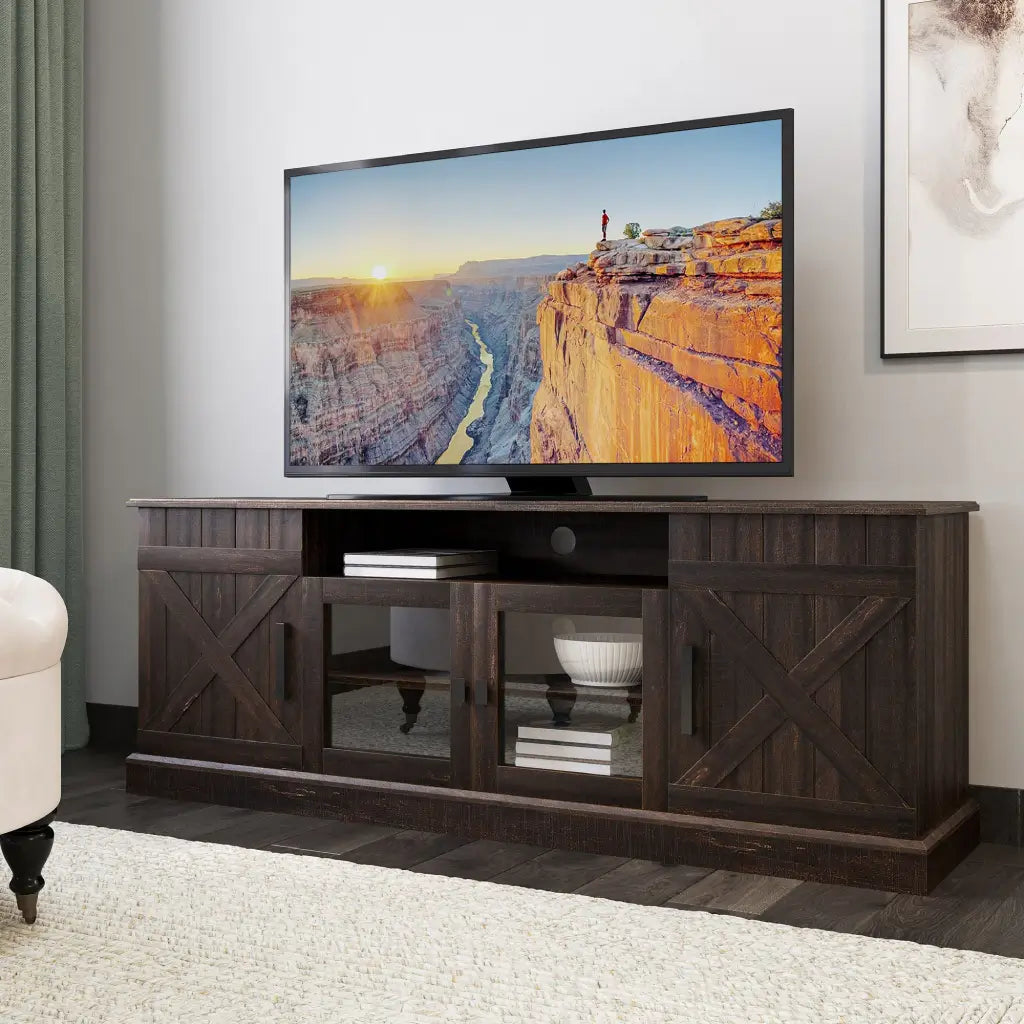
For most setups, a 60-inch TV stand is the safest and most balanced choice for a 55-inch TV. It leaves roughly 5 to 6 inches on each side of the screen, keeping the TV's wide-set legs well within the surface area and giving the setup enough breathing room to look proportionate. The extra surface on either side also accommodates a soundbar or small speakers without crowding the base. For a proportional match, 60-inch TV stands are sized specifically for this TV width.

TV Stand Depth and Height for a 55-Inch TV: What to Check
Depth is worth confirming before purchase rather than after delivery. Some brand-specific feet require up to 13 inches of front-to-back clearance. If your stand is shallower than that, the base overhangs at the rear and becomes unstable under any lateral contact. A stand depth of 15 inches or more works for most 55-inch models, but check your specific model's base depth before buying — stand depth requirements vary significantly across brands and base designs.

Height affects comfort during extended viewing. A stand height between 26 and 29 inches places the screen center at approximately 42 inches from the floor, which is a commonly referenced target for average seated eye level on a standard sofa. This is a general guideline rather than a fixed standard — the right height depends on your seating height and personal preference. For households using floor cushions or low-profile lounge chairs, that target needs to come down. Low-profile TV stands are built around ground-level seating and keep the screen at a comfortable angle without wall mounting.
What Happens If Your TV Stand Is Too Narrow or Too Shallow?
Using a TV stand smaller than the TV creates two separate risks:
- Narrow stand: Wide-set feet sitting within an inch or two of the outer edge mean any bump or vibration can shift the TV's center of gravity past the support base, increasing tip risk in homes with children or pets.
- Shallow stand: The front legs sit on the surface while the back legs hang over the rear edge, concentrating weight at the front and raising the chance of a forward tip.
Beyond safety, a TV balanced over a clearly undersized base draws attention to the mismatch rather than the screen.
Will a 55-Inch TV Fit on Your Existing Stand?
If you already have a stand and want to know whether it works, the key measurement is your TV's leg spread, not the screen width. Measure the distance between the outer feet before deciding.
| Existing Stand Width | Usually Works? | Notes |
| 50" or less | Risky for most models | Only safe if the TV uses a narrow center pedestal base |
| 52"–54" | Sometimes | Check that the leg spread sits at least 2 inches from each edge |
| 56"–58" | Often | Still worth measuring leg spread before committing |
| 60"+ | Best fit for most setups | Gives full leg support and room for speakers or decor |
If your stand is 50 to 54 inches and the TV has a wide-set two-leg base, upgrading is generally the safer call. If the TV uses a center pedestal (a single wide base rather than two separate feet), stand width matters less.
How Does a 55-Inch TV Compare to 50, 65, and 75-Inch TVs?
Each step up in screen size requires a proportionally wider stand and more wall clearance. The table below shows how the recommended stand width scales.
| TV Size (Diagonal) | Typical Width | Recommended Stand Size |
| 50" | 43.6" | 54" |
| 55" | 47.9" | 60" |
| 65" | 56.7" | 70" |
| 75" | 65.4" | 80" |
A 65-inch TV delivers roughly 40% more screen area than a 55-inch model, but its 56.7-inch width changes the furniture requirements and sightlines in a medium-sized room. If a 55-inch unit feels undersized for a large open-plan living space, reviewing 65-inch TV dimensions helps clarify whether the jump in scale and furniture cost is justified. For standard rooms under 15 feet deep, the 55-inch usually fits without making the space feel dominated by the screen.

How Far Should You Sit from a 55-Inch TV?
Recommended viewing distance depends on resolution. 4K panels resolve fine detail at closer range without visible pixelation, allowing a more immersive seating position than older 1080p screens.
| Resolution | Optimal Viewing Distance |
| Full HD (1080p) | 7.0 – 11.0 ft (2.1 – 3.4 m) |
| 4K UHD | 5.5 – 7.5 ft (1.7 – 2.3 m) |
Sitting within the 4K range creates a noticeably larger sense of screen presence from the same 55-inch panel. Stand height and seating distance work together: if the screen is mounted too high while the sofa sits too close, viewers end up looking upward throughout the session. How to avoid neck pain from TV placement covers how height, tilt, and distance interact across different room setups.
Frequently Asked Questions About 55-Inch TV Dimensions
How much wider should a TV stand be than a 55-inch TV?
A common guideline is 4 to 6 inches wider than the TV's actual width, leaving 2 to 3 inches of clearance on each side. For a 55-inch TV at 47.9 inches wide, that puts the ideal stand in the 52 to 60-inch range at minimum. A 60-inch stand hits the upper end of that range and also ensures the TV's wide-set legs sit safely within the surface area, which is the more important measurement.
What VESA pattern does a 55-inch TV use?
The most common VESA patterns for 55-inch TVs are 200×200 mm, 300×200 mm, and 300×300 mm, depending on the brand and model. The 400×300 mm pattern is more typical of 65-inch and larger screens. Always verify your specific model's VESA spec before purchasing a wall mount, since an incompatible bracket cannot be corrected after purchase.
How much does a 55-inch TV weigh?
Most 55-inch TVs weigh between 25 and 45 pounds without the stand, though exact weight varies by model. Before placing one on furniture, compare the TV’s installed weight with the stand’s published load rating for the surface that will support it.
Can I use a 50-inch stand for a 55-inch TV?
A 50-inch stand leaves little to no safety margin for most 55-inch TVs. With the screen nearly as wide as the furniture, the TV's wide-set legs are likely to sit within an inch or two of the stand's outer edge. Before settling for an undersized piece, a TV stand size guide walks through how to check whether your existing furniture can work — including how to measure leg spread.
Can I use a console table for a 55-inch TV?
Console tables tend to create two problems for a 55-inch TV setup:
- Height: Most sit 30 to 36 inches tall, placing the screen center above the 42-inch seated eye-level target and forcing viewers to look upward throughout a session.
- Depth: Many are only 12 to 14 inches deep, below the 15-inch minimum needed to support a 55-inch TV's factory legs without overhang at the back.
A dedicated media console with the right depth and stand height is the safer and more ergonomic choice for most households.
What if I plan to wall-mount my 55-inch TV?
If you are wall-mounting, stand width becomes less of a concern since the TV is not sitting on furniture. The more important checks are:
- Confirm the VESA pattern on your specific model before buying a bracket
- Keep the screen center near 42 inches from the floor for comfortable seated viewing
- Leave clearance below the TV for a soundbar if needed (most soundbars run 3 to 4 inches tall)
- If you still want a media console below the wall-mounted TV, choose one based on storage needs rather than TV width
Find the Right TV Stand for Your 55-Inch TV
For most setups with a 55-inch TV, a 60-inch stand offers the best balance of stability, ergonomics, and room proportion. It keeps the TV's wide-set legs safely on the surface, positions the screen near the standard 42-inch eye-level mark, and avoids the top-heavy look that a narrower base creates. If you're ready to shop, see TV stands for 60-inch TVs that are built around this size range.



Leave a comment
This site is protected by hCaptcha and the hCaptcha Privacy Policy and Terms of Service apply.