


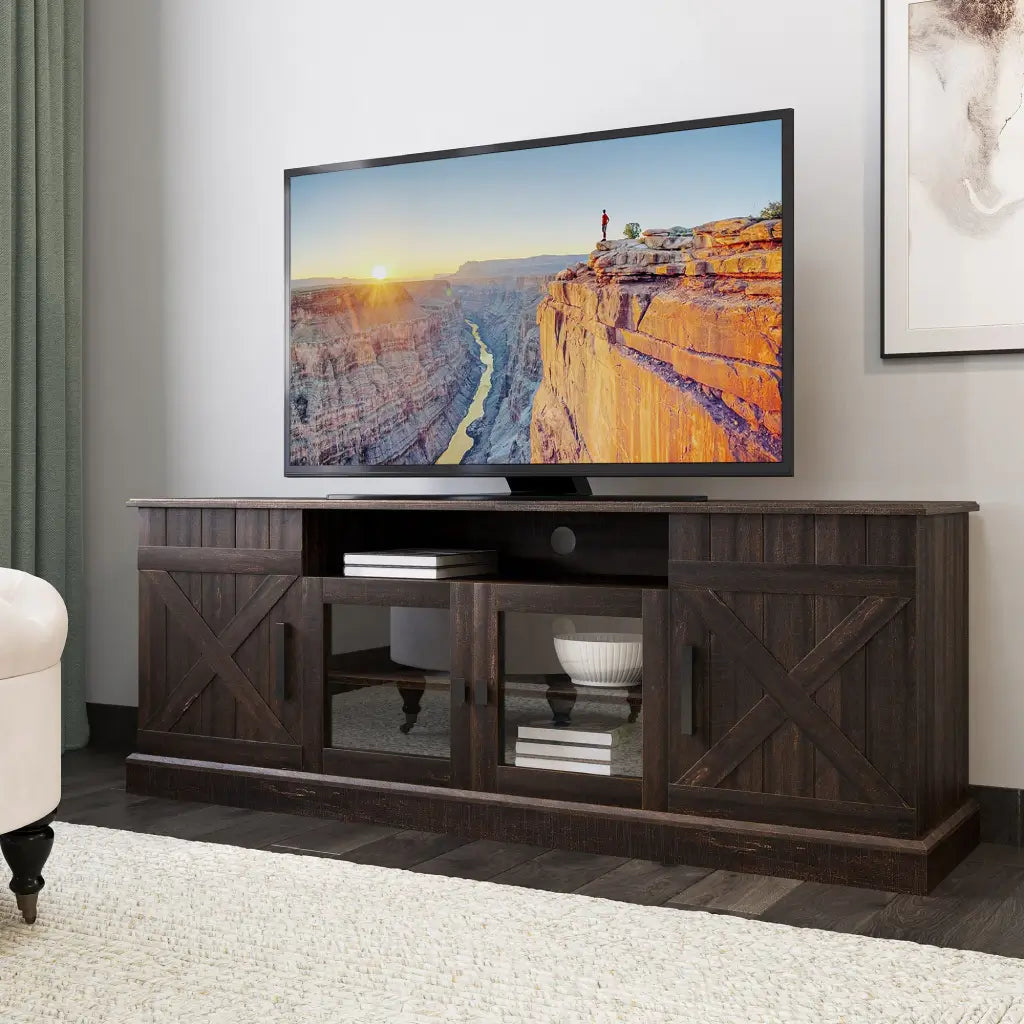
A 70-inch TV is typically 61 to 62 inches wide and about 34.5 to 36 inches tall without its stand. That "70 inches" refers to the diagonal screen measurement from corner to corner, not the physical width of the frame. Knowing the full 70-inch TV dimensions (including stand depth and, critically, leg spread) prevents the common mistake of buying a TV that doesn't fit the furniture you already own.
Quick Answer: 70-Inch TV Dimensions (Typical)
- Width: 61–62 inches
- Height without stand: 34.5–36 inches
- Height with stand: 36.5–38.5 inches
- Depth with stand: 12–14 inches
How Big Is a 70-Inch TV, Actually?
There are two different measurements that often get mixed up: screen area and physical TV size.
The screen itself (the visible image area) on a 70-inch TV measures about 61.0 inches wide and 34.3 inches tall in a standard 16:9 format. That's the math from the diagonal. The full physical unit, once you add the frame and base, is a little larger: typically 61 to 62 inches wide and 34.5 to 36 inches tall without the stand, depending on brand and model year.
One more thing worth knowing: most 70-inch TVs have an actual diagonal closer to 69.5 inches, because manufacturers round up the class name. The screen is fractionally smaller than the label suggests.

For metric users, the screen area measures roughly 155 cm wide and 87 cm tall.
Physical dimensions vary meaningfully across brands and model years. Rather than pinning down specific models (which change annually), the table below shows the typical ranges you'll encounter across current 70-inch TVs. Always confirm on the manufacturer's product page before purchasing:
| Dimension | Typical Range |
| Width (with frame) | 61.0"–62.5" |
| Height without stand | 34.5"–36.0" |
| Height with stand | 36.5"–38.5" |
| Depth with stand | 11.8"–14.2" |
| Weight (without stand) | 39–63 lbs |
| Leg spread | 45"–59" |
The leg spread row is what most buyers overlook. Screen width tells you how much wall space you need; leg spread determines whether your current console can safely support the unit.
What Size TV Stand Does a 70-Inch TV Need?
Stand sizing for a 70-inch TV comes down to two measurements: screen width and leg spread. Screen width determines the minimum surface the stand needs to cover visually. Leg spread determines whether the TV can actually sit on the stand without its feet hanging over the edge.
The table below covers the general sizing tiers and their practical purpose:
| Stand Width | Range | Why |
| Minimum | 62–65" | Covers the full screen width without overhang |
| Recommended | 65–70" | Accounts for leg spread and provides visual balance |
| Ideal | 70"+ | Leaves room for a soundbar, speakers, or decorative accents |
A stand that matches the screen width but nothing more often looks top-heavy in a room. A stand that is 3 to 6 inches wider than the TV on each side creates a more balanced look and gives the feet proper clearance.
Will Your Existing Stand Fit a 70-Inch TV? It Depends on Leg Spacing
Modern TVs often use wide-set feet positioned near the outer edges of the panel rather than a central pedestal. This means the stand's usable flat surface must match the TV's specific leg spread, not just its screen width.
Leg spread varies far more than most buyers expect. Across 70-inch models, it typically falls somewhere between 45 and 59 inches — but two TVs from the same brand can differ by 10 inches or more depending on the series and year. A console that comfortably holds one 70-inch TV may not fit the next model at all. The only reliable number is the one listed in your specific TV model's spec sheet, usually labeled "stand separation," "stand width," or "feet distance." Look it up before assuming any existing furniture will work.

Three things to check before assuming your current furniture is compatible:
- Measure the usable flat support surface (not the outer cabinet width). Raised edges, curved tops, or a lip at the front can reduce the area where the feet can actually sit.
- Check the stand's weight rating. A 70-inch TV without a stand typically weighs 39 to 63 pounds. If the stand is rated below that, the width fit is irrelevant — the structure itself becomes the problem.
If the margin is under 2 inches per side after measuring, add a wall-anchored anti-tip strap as a safety step. For a full checklist covering panel size, weight rating, and furniture type, the TV stand size guide covers every variable in one place.
How Deep and How Tall Should a TV Stand Be for a 70-Inch TV?
Stand depth should be at least 14 to 18 inches. That range ensures the feet sit fully on the surface with enough clearance behind the unit for cables and ventilation.
Stand height follows a simple ergonomic formula. Seated eye level is typically around 42 inches from the floor. Half of a 35-inch panel height is 17.5 inches. Subtracting that puts the ideal bottom edge of the screen at about 24.5 inches from the floor, which breaks down into these practical ranges:
- 18 to 24 inches tall: Works for standard sofa seating — the most common setup
- Under 15 inches: Suited for floor seating or very low sofas; the screen center typically sits below comfortable eye level for a standard couch
- Over 24 inches: Angles the screen upward, which causes head tilt that builds to neck discomfort over longer viewing sessions
For a selection organized by width and leg spread range, 70-inch TV stands let you filter to what fits your specific brand before buying.
How Far Should You Sit from a 70-Inch TV?
There are two ways to think about this, and they give you different numbers.
From a technical standpoint, 4K resolution lets you sit closer than older HD sets. Sony and other manufacturers commonly cite a viewing distance of roughly 1.5 times the screen height as the point where 4K detail becomes perceptible — which puts the technical reference line at about 4 feet for a 70-inch screen. In practice, most people never sit that close, and the image at that distance is immersive to the point of discomfort for full-length viewing.
For everyday living room comfort, 7 to 10 feet is the range that most households land on. At that distance, the screen fills a wide field of view without requiring visible effort to take in the full image, and 4K resolution still shows a clear improvement over 1080p.
Sitting closer than 7 feet on a stand that places the screen above 24 inches compounds the problem. The viewer is both too close and forced to tilt their head upward to see the center of the image. Either issue alone is manageable for a short session; together, they typically produce neck strain within an hour or two of viewing. For readers setting up a shared space where people sit at varying distances, how to avoid neck pain from TV placement covers screen height, seating angle, and mount height together.
How Does a 70-Inch TV Compare to 65 and 75 Inches?
The jump from 65 to 70 inches adds roughly 5 inches of screen width and 3 inches of height. From 70 to 75, the same again. Those increments may look modest on a spec sheet, but they compound quickly when it comes to furniture requirements and minimum comfortable seating distance.
| TV Size | Screen Width | Unit Height (no stand) | Min Stand Width |
| 65 inch | ~57" | ~32" | 58–60" |
| 70 inch | ~62" | ~35" | 64–65" |
| 75 inch | ~66" | ~38" | 70–72" |
Here's how to match size to your actual situation:
- 65-inch: The safer choice when existing furniture sets the upper limit, or when primary seating is consistently under 8 feet. If you're on the fence between 65 and 70, check 65-inch TV dimensions to confirm whether your current console fits the smaller footprint first.
- 70-inch: The value entry point into large-format viewing. Most 4K models currently range from $500 to $900. If your room supports 8 to 10 feet of seating distance and your stand is at least 65 inches wide, the 70-inch is the more cost-effective choice over the 75.
- 75-inch: Requires a console at least 70 to 72 inches wide and a minimum seating distance of about 9 to 10 feet. Only step up if the room genuinely supports the footprint. Full specs are in 75-inch TV dimensions.
Frequently Asked Questions
Is a 70-Inch TV Too Big for a Living Room?
A 70-inch screen works well in medium to large rooms where at least 7 to 9 feet of seating distance is available. In smaller rooms, the screen can feel overwhelming from close range, and viewers within 6 feet typically find themselves tracking action across the panel rather than taking in the full image comfortably.
Can a 70-Inch TV Sit on a 60-Inch Stand?
It depends on your specific TV model. A 70-inch TV's leg spread typically falls somewhere between 45 and 59 inches depending on brand and series — and two models from the same brand can differ by 10 inches or more. A 60-inch stand works safely for TVs with a narrower spread but leaves almost no margin for models at the wider end of that range. Look up the stand separation or feet distance in your TV's spec sheet before assuming a 60-inch stand is safe.
What VESA Pattern Does a 70-Inch TV Use?
Most 70-inch models use a 400×300 mm, 400×400 mm, or 600×400 mm VESA pattern (VESA is the standardized mounting hole spacing on the back of the TV). The pattern varies by brand and weight class, so confirm the exact specification in your model's spec sheet before purchasing a wall mount.
Should I Wall-Mount or Use a Stand for a 70-Inch TV?
Stands offer easier cable access and the flexibility to reposition the TV if the room layout changes. Wall mounting saves floor space and creates a cleaner look, particularly in rooms where the TV is the only large piece on that wall. For a side-by-side breakdown of both options by room type and setup, the TV stand vs wall mount guide covers the practical trade-offs.

Conclusion
A 70-inch TV is roughly 61 to 62 inches wide, but the measurement that actually determines furniture compatibility is the leg spread, not the screen width. Getting the 70-inch TV dimensions right means targeting at least 65 inches of usable flat surface width, with 70 inches or more providing safe clearance for models with a wider leg spread. Always verify your TV model's actual leg spread against your console's support surface — not just its outer width — before assuming the fit is safe.
For readers ready to match a stand to their specific footprint, browse TV stands for 70-inch TVs organized by width so the comparison is straightforward.




Leave a comment
This site is protected by hCaptcha and the hCaptcha Privacy Policy and Terms of Service apply.