


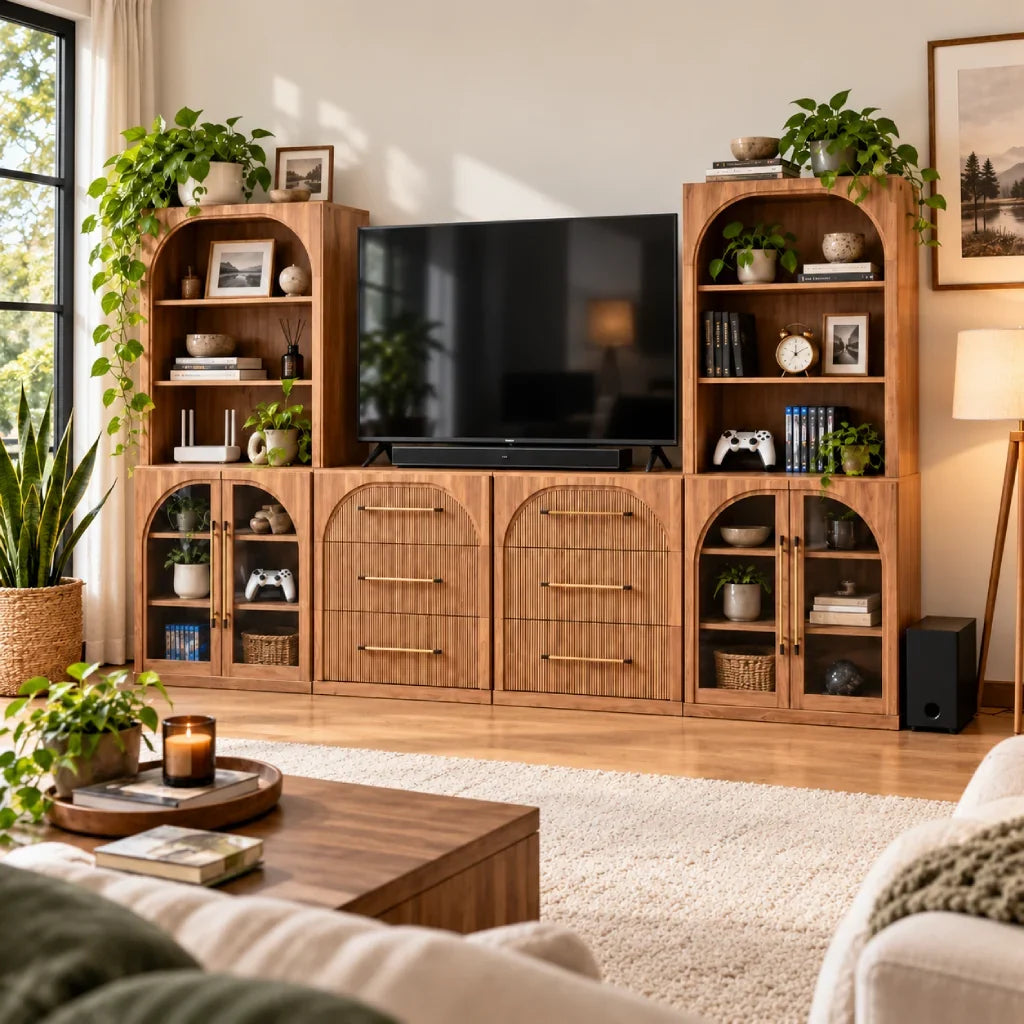
Most living room media storage ideas start with photos of magazine-ready rooms rather than the tangled reality of power strips, game controllers, and Wi-Fi routers. That styling-first approach backfires fast when a console overheats inside an airtight cabinet, or when power cords stretch across open floorboards to reach the nearest wall plug.
When storage ignores your gear and room dimensions, you end up with messy cables or choked cooling fans. Start with what you actually need to plug in and where it has to go. An honest gear count and clear wall measurements reveal whether a minimal stand, a deep credenza, or a full modular wall system makes sense.
Figure Out What Actually Belongs by Your TV
Clear the clutter around your screen before buying furniture. Living room media consoles often become catchalls for board games, extra blankets, and general overflow. Moving non-media items to closet storage frees up room for devices wired directly to the TV.
Sort your entertainment gear by how often you reach for it during the week:
- Daily essentials: Remotes, game controllers, headphones, and charging cords you grab every day.
- Always-on equipment: Cable boxes, Wi-Fi routers, streaming pucks, and sound receivers that run continuously in the background.
- Occasional items: Media discs, backup controllers, game cases, and books you pull out occasionally.
Watch out for electronics that get hot during long movie nights or gaming sessions. Modern game consoles and audio receivers produce steady heat. Tucking them into an unvented cabinet traps hot air and forces cooling fans to run full blast. Check where each device vents air so you do not restrict airflow.
Get Your Wall, Room, and Gear Measurements Right
A furniture layout can look great on paper but fail the moment you push it against the wall. Start by measuring clear wall width between baseboards rather than between corners, and subtract room for swinging doors, floor vents, window trim, and wall outlets you need to reach.
Always compare your equipment dimensions to usable interior shelves rather than outer furniture specs. A media console might measure 16 inches deep on the outside, but lose two inches to front frame trim and rear panels. Stiff HDMI and power cables routinely add another two to three inches behind an AV receiver or gaming console.
Television width and leg stance dictate the minimum top surface you need. Modern TVs often use wide-set feet near the outer edges, which means they need a deeper deck than older screens with center pedestals. Finally, make sure cabinet doors and deep drawers open fully without hitting coffee tables, and confirm you have floor space to assemble pieces flat.
Match Your Setup to the Best Room Layout
A balanced media layout matches equipment volume to usable wall width. Most living rooms fit one of five setups: a compact console, a low sideboard, tall adjacent shelving, a modular entertainment center, or an extended wall run.
Choosing between a single stand and a multi-piece wall unit comes down to how much you store beyond the screen. Comparing a tv stand vs entertainment center clarifies which footprint fits your wall. This quick comparison shows how the five layouts balance equipment, floor space, and tradeoffs:
| Your Space & Setup | Recommended Layout | Key Tradeoff |
| Small room, streaming gear only | Compact TV Console | Saves floor space; minimal expansion room |
| Long wall, hidden clutter priority | Low Sideboard Unit | Deep storage; surface sits higher than standard stands |
| High ceilings, book and decor display | Tall Adjacent Storage | Uses vertical height; can crowd narrow rooms |
| Wide wall, heavy media setup | Modular Entertainment Center | Built-in capacity; requires wall anchoring |
| Full wall across living area | Mixed Wall Run | Unifies large rooms; requires careful walkway clearance |
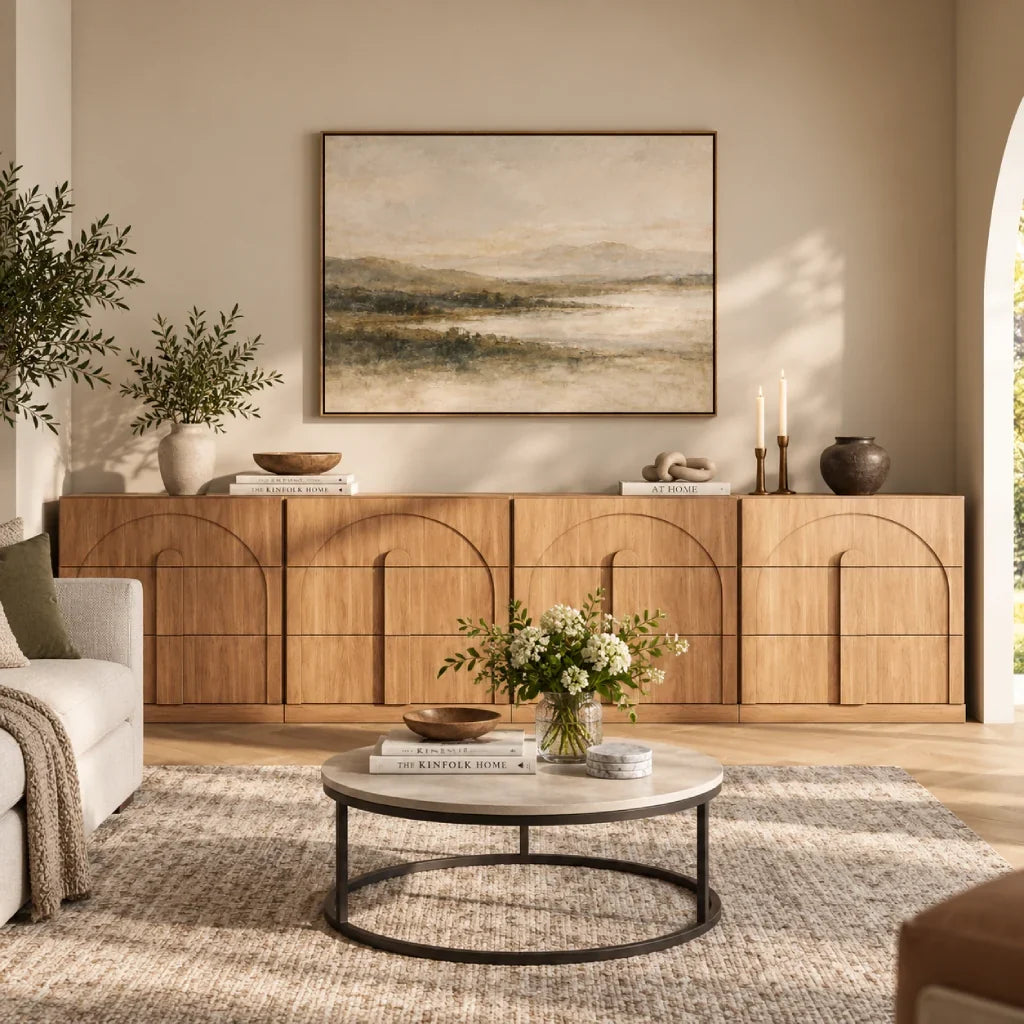
A low sideboard or credenza works well when your goal is hiding visual clutter behind solid doors. Sideboards are typically deeper than standard media consoles, which gives you plenty of room for board games, table linens, and power banks.

Using an accent cabinet as a TV stand brings generous closed storage, but sideboards typically sit taller than dedicated media consoles. Comparing can you use a sideboard as a tv stand shows how that extra height affects your viewing angle and whether your screen sits at a comfortable eye level.
Browsing living room modular sideboards helps you find deep cabinets designed to conceal household overflow while supporting a clean TV setup.
Modular Entertainment Centers for Full Wall Coverage
On a wide, open wall, a standalone TV stand often looks small and out of scale. Adding matching side towers or hutches fills vertical wall height, balances the screen, and creates room for books and decorative pieces.
Setting up modular entertainment centers with lower credenzas and matching side towers creates an organized home for consoles, game cases, and framed art without contractor fees.
When storage needs to stretch across an entire wall, reviewing wall to wall storage ideas helps maintain clean sightlines so large furniture runs do not crowd the living area.
Decide What Stays Out in the Open vs. Hidden Away
Choosing between open and closed storage comes down to balancing heat dissipation against visual clutter. Open decks and vented bays provide uninterrupted airflow for gaming consoles and audio receivers, so cooling fans stay quiet during movie marathons. In contrast, solid cabinet doors keep messy power strips, charging bricks, and board games completely out of sight.

Shallow pull-out drawers keep remotes, controller grips, and loose cables organized so they never scatter across open decks. Glass-door cabinets display books and ceramics while shielding them from everyday dust. Remember that solid wood doors block traditional infrared remote signals unless your components use Bluetooth or an external IR repeater.
Balancing airflow against visual simplicity is the core puzzle of media furniture. Comparing open shelf vs closed storage tv stands clarifies how open decks simplify wiring while closed credenzas protect lower shelves from dust. Looking through hidden storage ideas for living rooms provides smart ways to conceal power bricks and cable slack while keeping controls responsive.
Plan Ahead for Moving, Rearranging, or Adding Pieces
Before buying a large entertainment setup, consider where you might live in a few years. A wall unit that fits your current living room could block a window, radiator, or doorway in your next apartment. Renters benefit from standalone consoles that adapt to different spaces, while homeowners can invest in full-wall systems tailored to a dedicated room.
If you anticipate adding a second console, turntable, or expanding your media collection, choose furniture built as an expandable system. Standard standalone cabinets lack flush seams and interlocking hardware, so stacking or grouping them later leads to uneven gaps, wobbles, and unstable surfaces. Purpose-built modular pieces use pre-drilled brackets and joining plates, so new sections sit level and look built-in.
The most versatile modular systems also allow individual components to stand alone. If your living room arrangement changes, matching credenzas, side towers, or bookcases can easily relocate to a dining room, home office, or hallway. Always check whether matching add-ons like extra hutches or piers are sold individually before committing to a setup you hope to expand later.
When a Modular Entertainment Center Makes the Most Sense
Modular entertainment centers make sense on wide, uninterrupted walls where you need television placement and deep storage together. Instead of paying for custom millwork, modular pieces let you arrange matching bases and upper storage into a cohesive layout.
Creating the look of custom cabinetry without permanent construction is practical with modular furniture. Reviewing built in entertainment center ideas with modular furniture illustrates how freestanding sections align into a clean, built-in appearance.
When choosing a Belleze layout, the core decision comes down to what you want to see. Start with Jagger if you want framed glass doors and tall hutches to display books and ceramics, or pick Bijou if you want deep, clean drawers that hide cords, controllers, and living room clutter.
Jagger: Best for Glass-Door Display and Books
The Jagger 6-piece modular TV stand with 4 glass-door cabinets and 2 hutches turns a blank wall into a home library. By pairing lower glass-door credenzas with tall upper hutches, it frames the screen while giving your art books, ceramics, and boxed sets a dedicated display home that stays free of dust.
Because upper hutches add significant height, grab a tape measure to check ceiling clearance and baseboard thickness before delivery. Make sure your TV legs sit safely on the center deck, and always secure the tall hutches to wall studs using the included anti-tip hardware.
Bijou: Best for Tucking Everything into Drawers
Not everyone wants their storage on display. The Bijou 6-drawer modular TV stand 4-piece takes the opposite approach by tucking everything away behind clean drawer fronts. Six smooth pull-out drawers give you plenty of space to hide messy cords, spare controllers, board games, and extra living room clutter so nothing sits out in the open.
The main thing to watch with a drawer-heavy setup is walking room. Leave at least two to three feet of open floor in front of the unit so you can slide drawers open without bumping the coffee table. Use drawers for loose accessories and game cases, and place heavy receivers on the open center shelf.
Double-Check Fit, Wires, and Safety Before Buying
A successful media setup starts with how the television sits on the surface. Buyers often check weight limits but overlook leg stance. Wide-set TV feet can stretch almost as wide as the screen, which can make a television unstable on a narrow stand. Always measure the full depth of the feet so your screen rests securely.
Cable paths and airflow make the difference between a tidy setup and daily frustration. Leave two to three inches behind your deepest device so thick cords do not kink against the back panel. For tall modular hutches, securing the frame into wall studs creates a rattle-free installation that stays stable on thick carpet.
When every component has its place and cords stay neatly tucked away, an entertainment wall anchors the entire living room without visual clutter. Exploring modular entertainment centers lets you match base credenzas and upper shelving to your exact room width for a custom built-in look on your own terms.

Leave a comment
This site is protected by hCaptcha and the hCaptcha Privacy Policy and Terms of Service apply.